FitToOnboard · guided tour · demo data

From booking to signed certificate. One pipeline.

Occupational health screening for Australian clinics — pre-employment medicals, mining questionnaires, rideshare screens — with overlap-proof scheduling, versioned forms, doctor certification and multi-tenant licensing. Every screenshot below is the real product running on seeded demo data; every URL bar is a live deep link.

  1. BOOKED
  2. CHECKED IN
  3. TESTING
  4. DOCTOR REVIEW
  5. CERTIFIED
  6. DISPATCHED
  7. CLOSED

Your access badges

Four vantage points on the same pipeline — every role sees exactly what they need, nothing more. Book a guided walkthrough and we'll hand you the demo sign-ins live.

  • Clinic Owner

    Admin · Lab Rep · Lab Tech

    Demo sign-in provided during your guided walkthrough.

    The clinic's three hats in one account

    Open /admin →
  • HR Representative

    Employer Rep

    Demo sign-in provided during your guided walkthrough.

    Books screenings, manages the roster

    Open /employer →
  • Worker / Patient

    Patient

    Demo sign-in provided during your guided walkthrough.

    Fills forms, owns their own data

    Open /patient →
  • Reviewing Doctor

    Doctor

    Demo sign-in provided during your guided walkthrough.

    Certifies fitness determinations

    Open /doctor →

Build the clinic

Before a single booking exists, the clinic defines its world: which forms patients fill in, which labs are open when, and which technicians cover them.

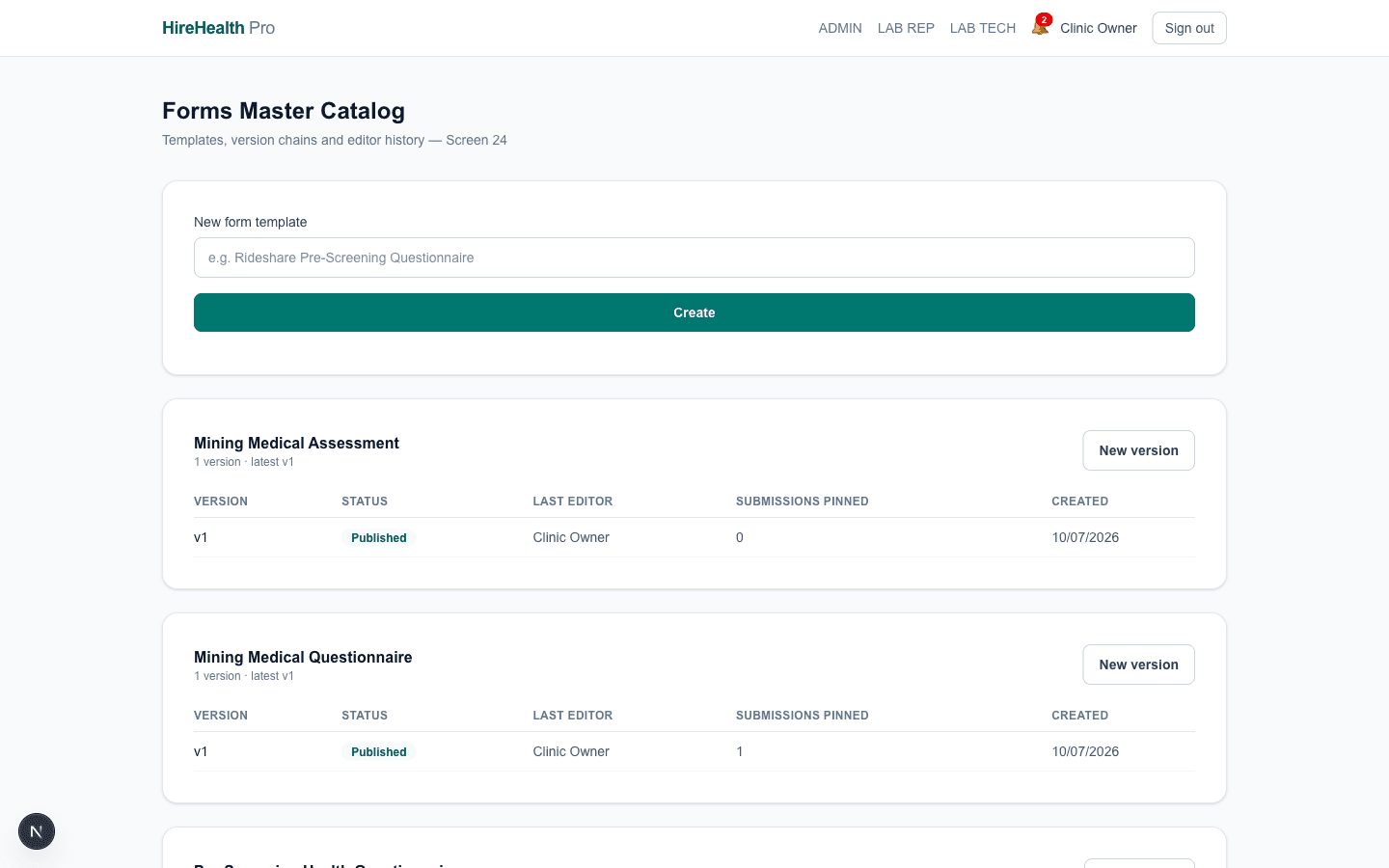
Forms master catalogue

Every questionnaire the clinic uses — pre-screening health, mining site inductions, rideshare medicals — lives in one versioned catalogue. Published versions are immutable: a patient who started on v1 finishes on v1, while new bookings pick up v2 automatically. No more Snap Forms subscriptions or lost PDFs.

Open /admin/forms live — as the Clinic Owner
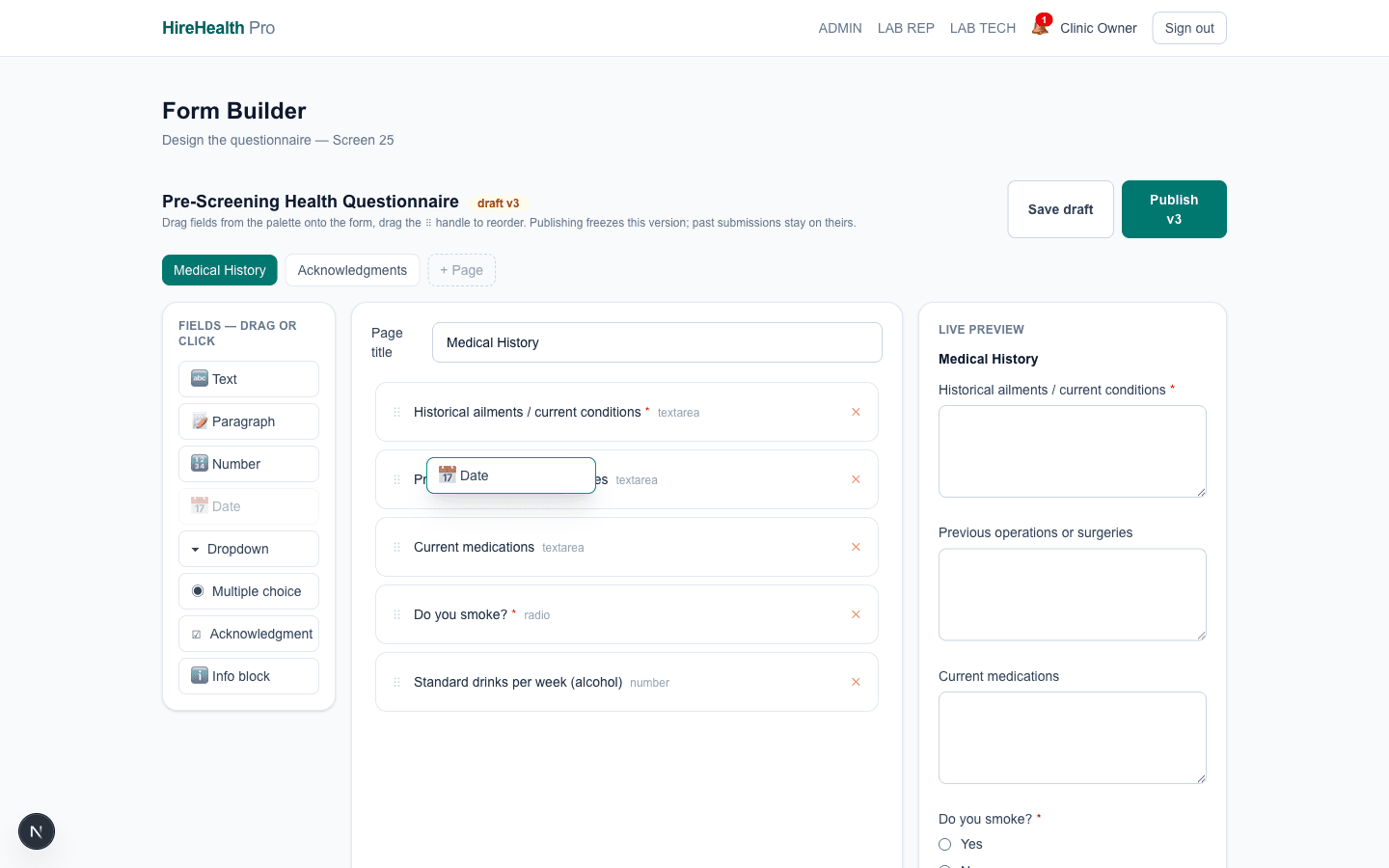
Drag-and-drop form builder

Questions are dragged from a palette straight into the form — headings, yes/no, multi-choice, signature blocks. Editing never touches a published version; you draft, preview, then publish a new version when ready. The screenshot shows a question mid-drag.

Open /admin/forms live — as the Clinic Owner
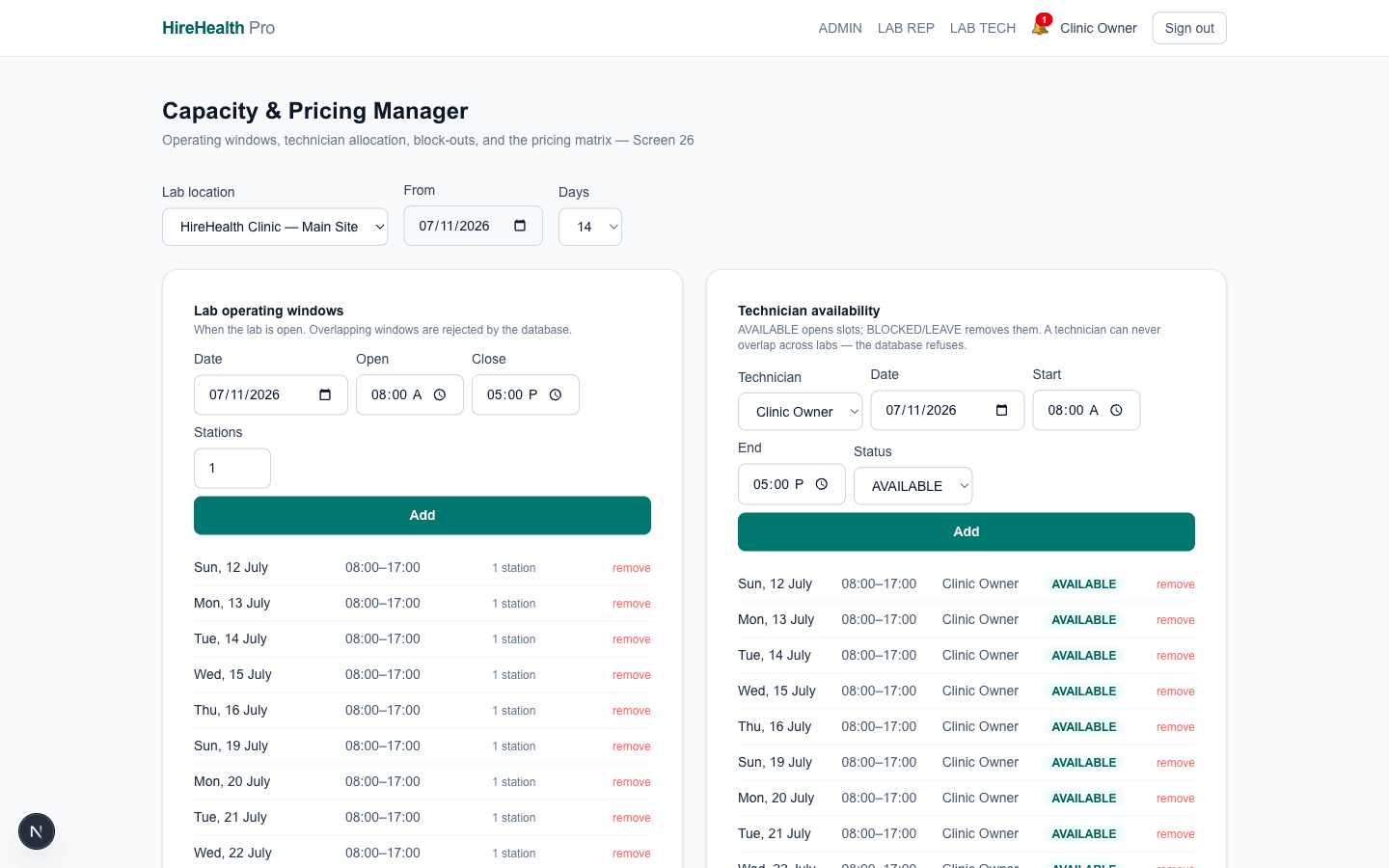
Lab capacity & technician rosters

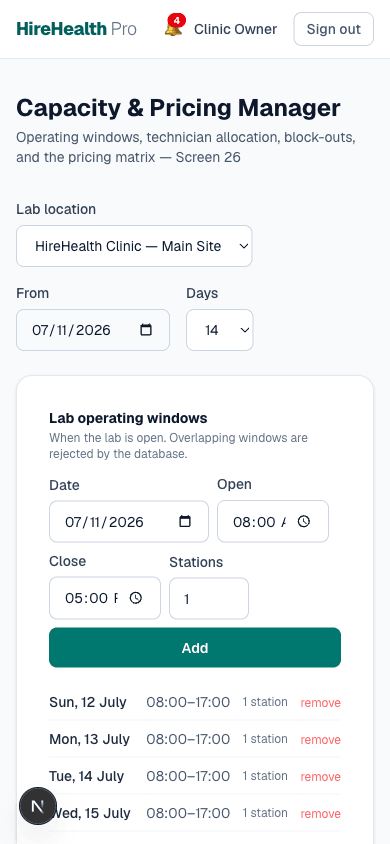
Each lab location declares open hours and chair capacity; each technician declares working windows. The database itself refuses overlapping technician windows and double-booked chairs — it is physically impossible to save a colliding roster, even if two admins edit at once.

Open /admin/capacity live — as the Clinic Owner
Book without collisions

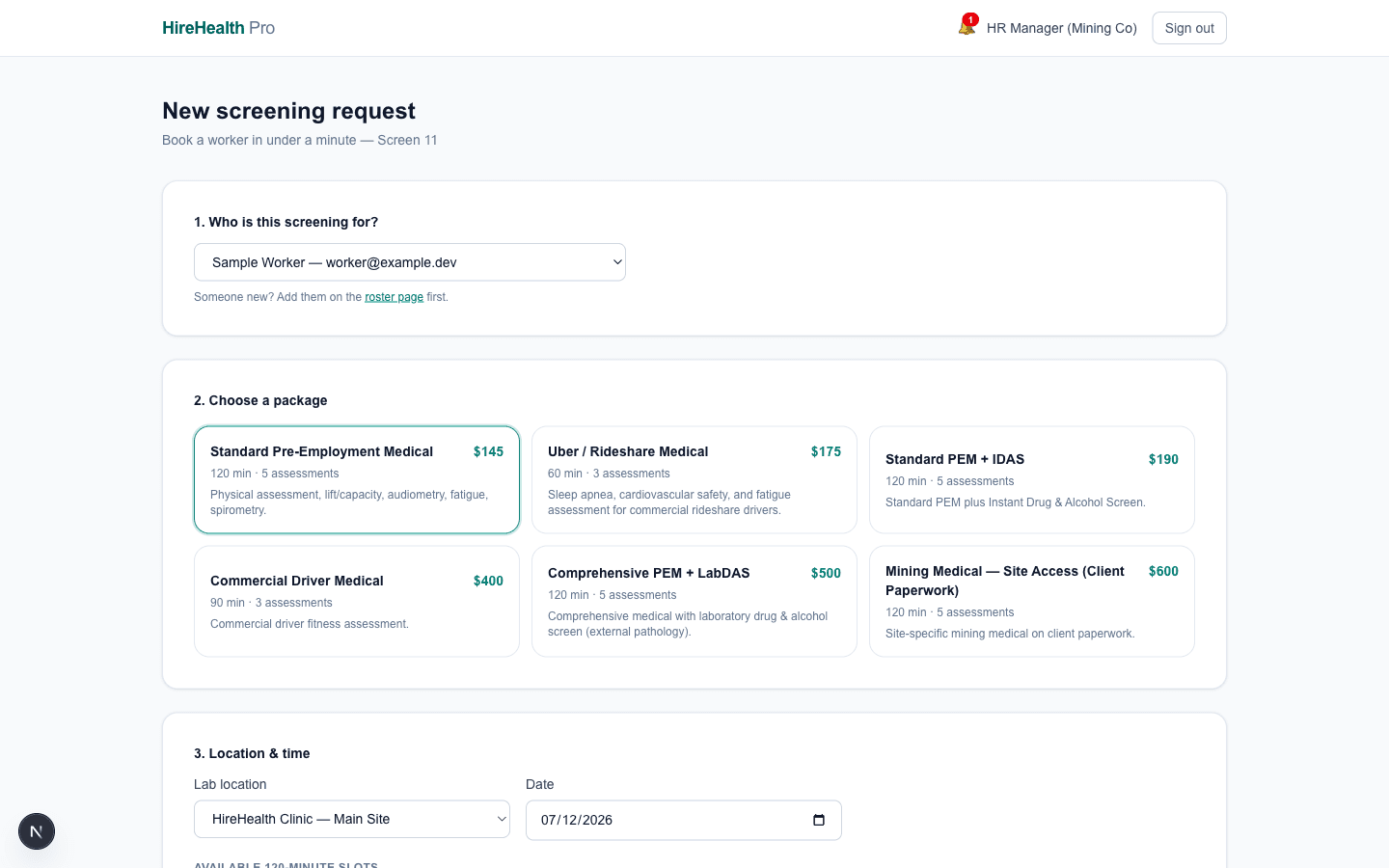
Employers request screenings for their workers; the engine offers only slots where a chair, a technician and the package's full duration line up — across every lab, with zero double-booking.

Live slot engine

A pre-employment medical needs 120 minutes; a rideshare screen needs 60. The engine intersects lab capacity with technician windows in 30-minute steps and shows only slots that genuinely fit. If two bookings race for the last chair, the database constraint arbitrates — one wins, the other instantly sees the next available slot.

Open /employer/request live — as the HR Representative

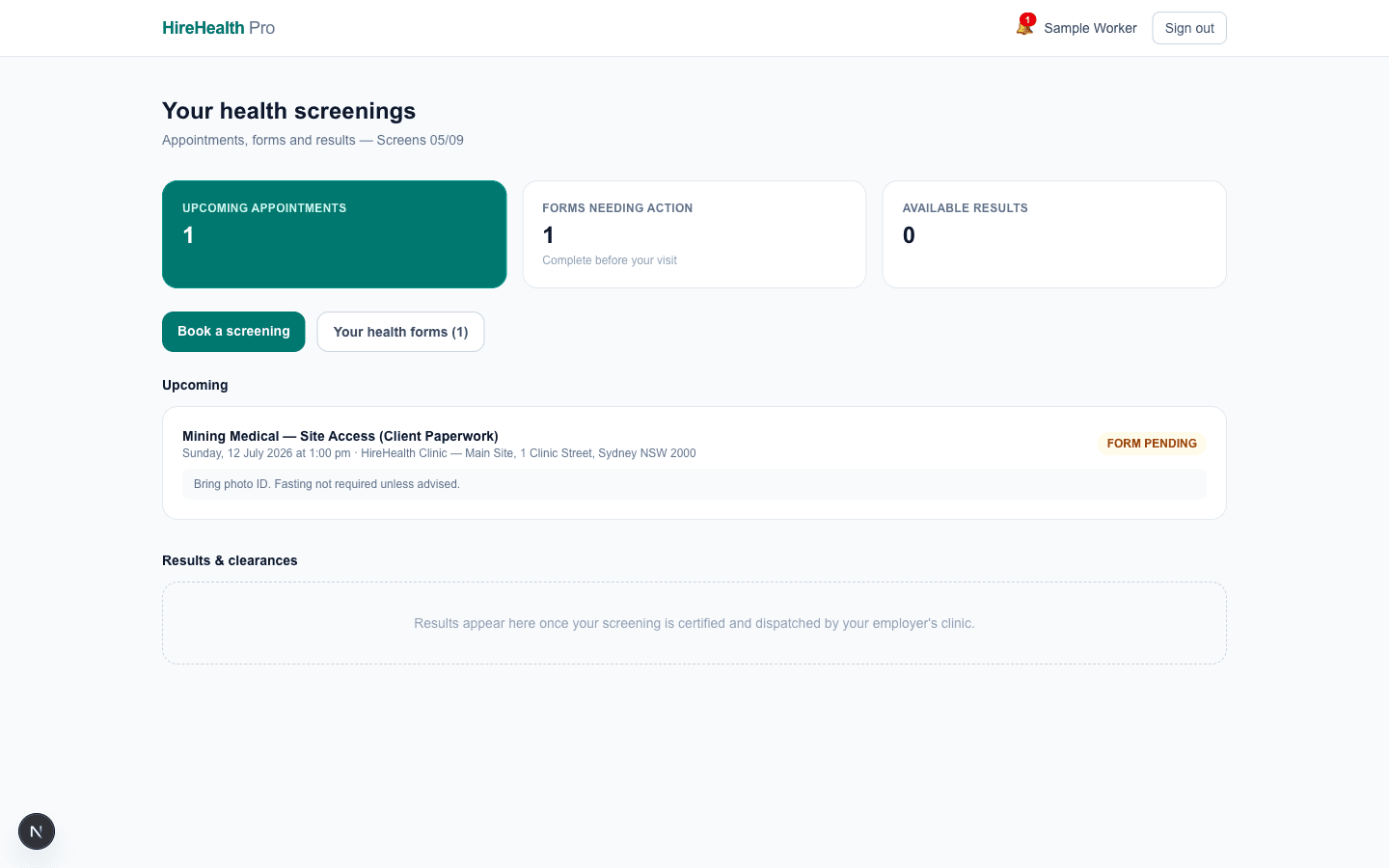
Patient portal

The worker sees their upcoming appointment, outstanding forms, and past certificates in one place. They can also — and only they can — request deletion of their own data, identity-verified, honouring the 7-year clinical retention rule per record.

Open /patient live — as the Worker

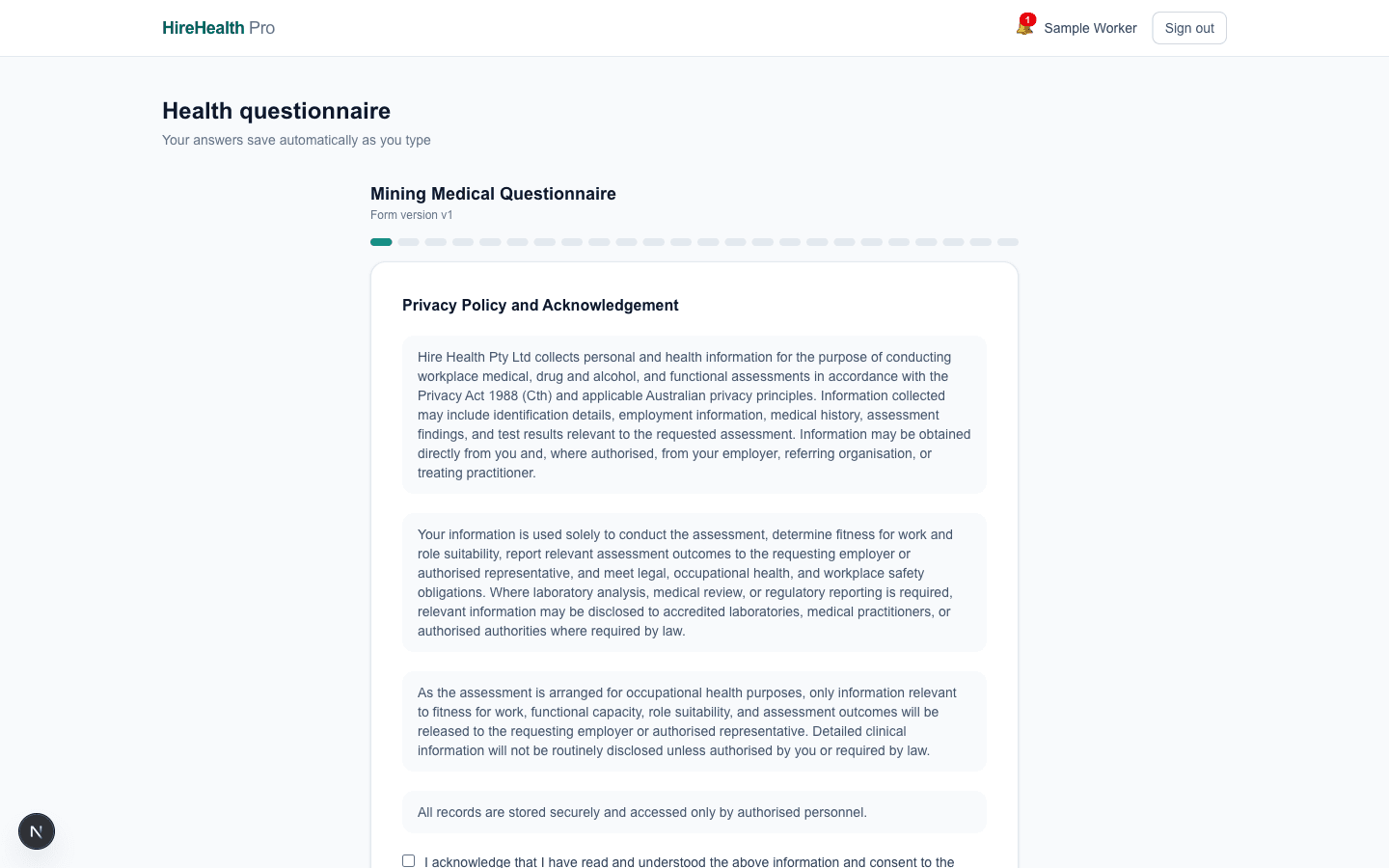
Pre-visit questionnaires

Forms are completed before arrival — this is the clinic's real mining questionnaire, seeded from their production documents. Submissions pin to the exact form version they were answered on, and lab technicians can record amendments as a new submission version with a full audit trail.

Open /patient/forms live — as the Worker

Screening day

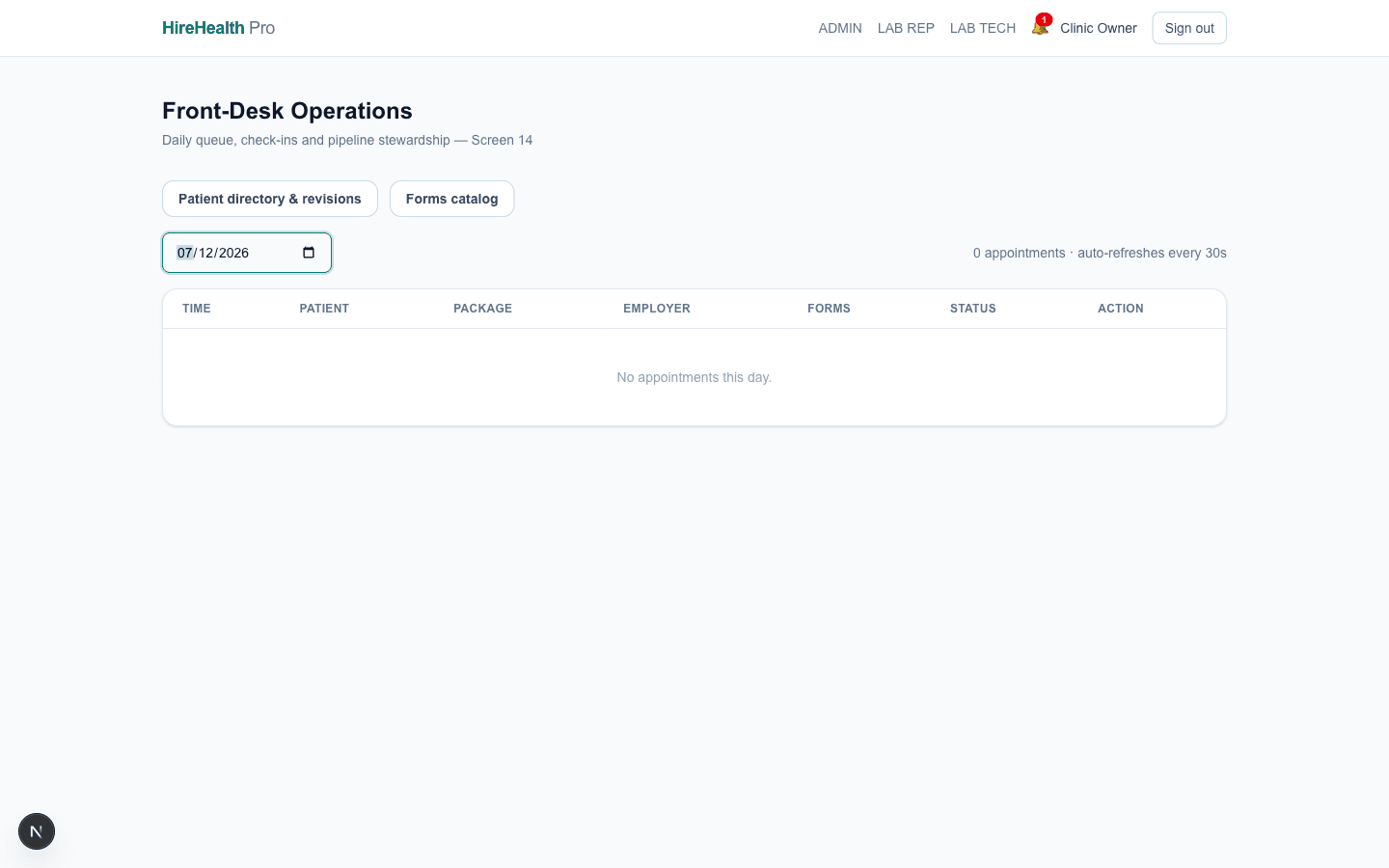
The front desk sees the day at a glance; technicians work a case-by-case bench. Every status change is one auditable pipeline step: booked, checked in, testing, doctor review, dispatched, closed.

Front-desk day list

Who's due, who's arrived, who's overdue — with one-tap check-in. A no-show or cancellation automatically voids the draft invoice so billing never chases a screening that didn't happen.

Open /lab live — as the Clinic Owner
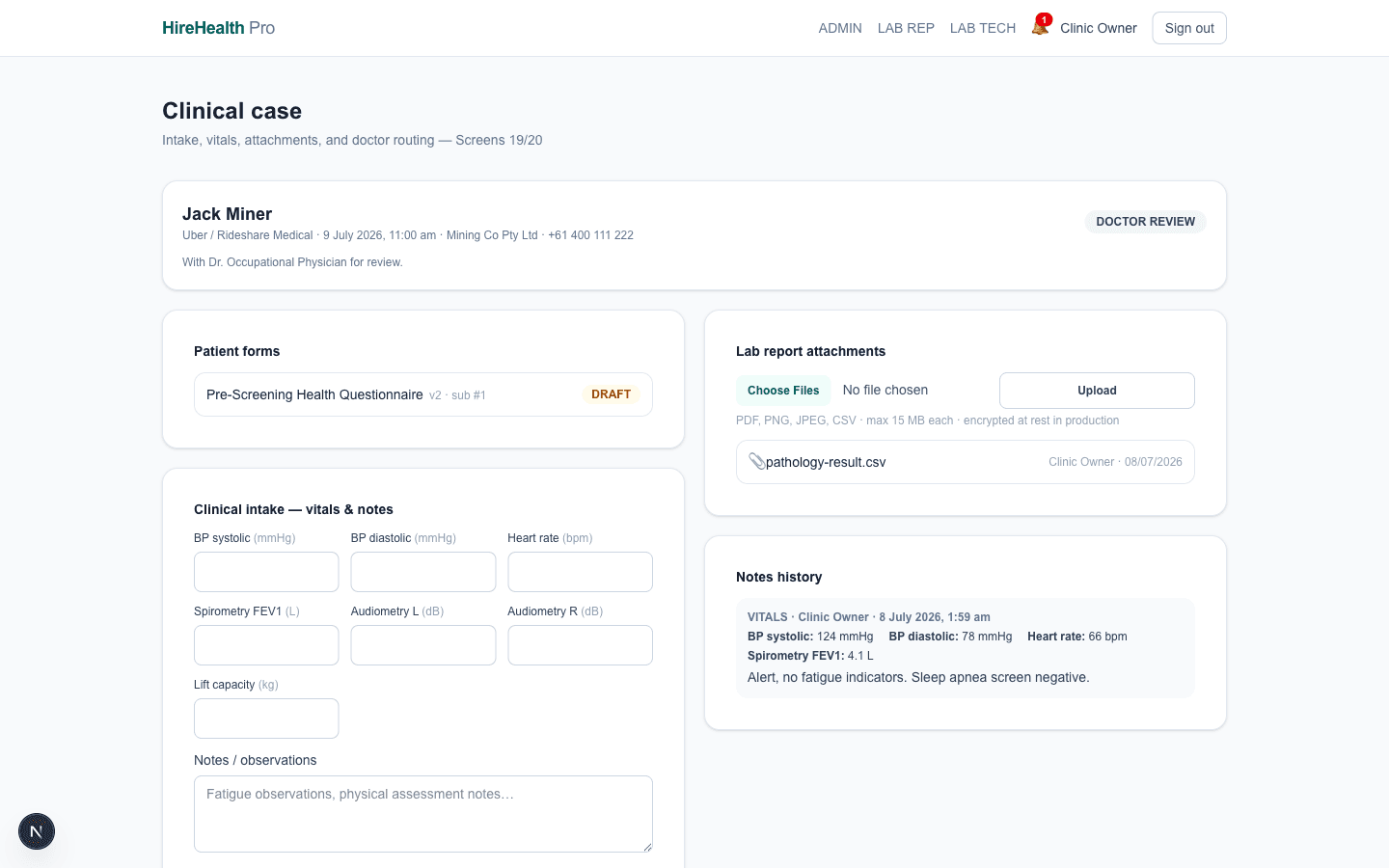
Technician case workbench

Everything for one patient in one screen: their questionnaire answers, medical notes, test entries (audiometry, spirometry, drug & alcohol…), and report file uploads. When testing completes, the case moves to doctor review — the pipeline enforces the order.

Open /lab/tech live — as the Clinic Owner
Certify, dispatch, invoice

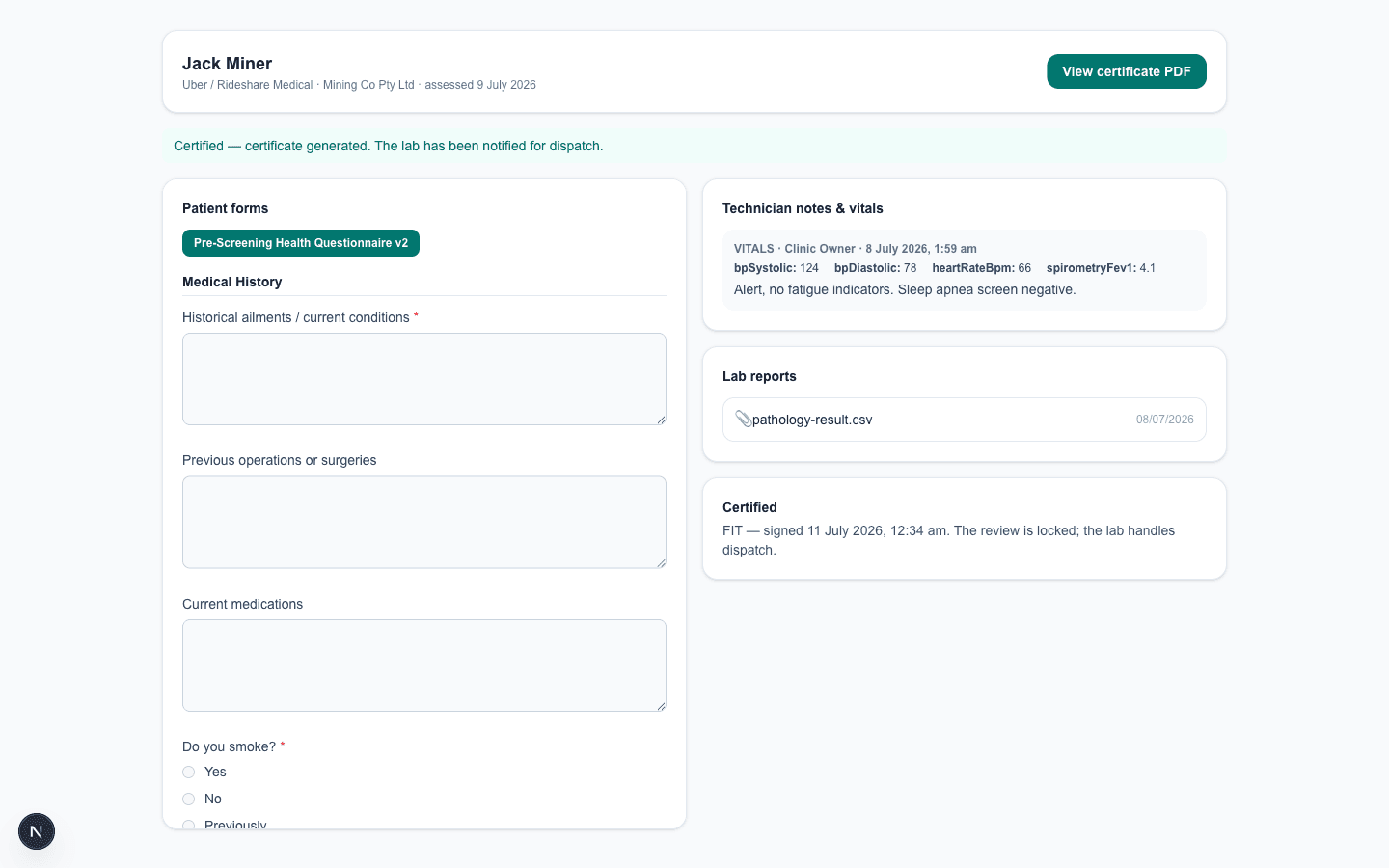
The doctor reviews evidence side-by-side and signs a determination; the platform generates the certificate PDF, dispatches it to the employer, and raises the invoice reference — one motion, fully audited.

Doctor split-view certification

Questionnaire answers and test results on the left, determination on the right: fit, fit with restrictions, or unfit. Signing generates a tamper-evident certificate PDF. A doctor can also bounce a case back to testing if something's missing — the loop is part of the state machine.

Open /doctor live — as the Reviewing Doctor

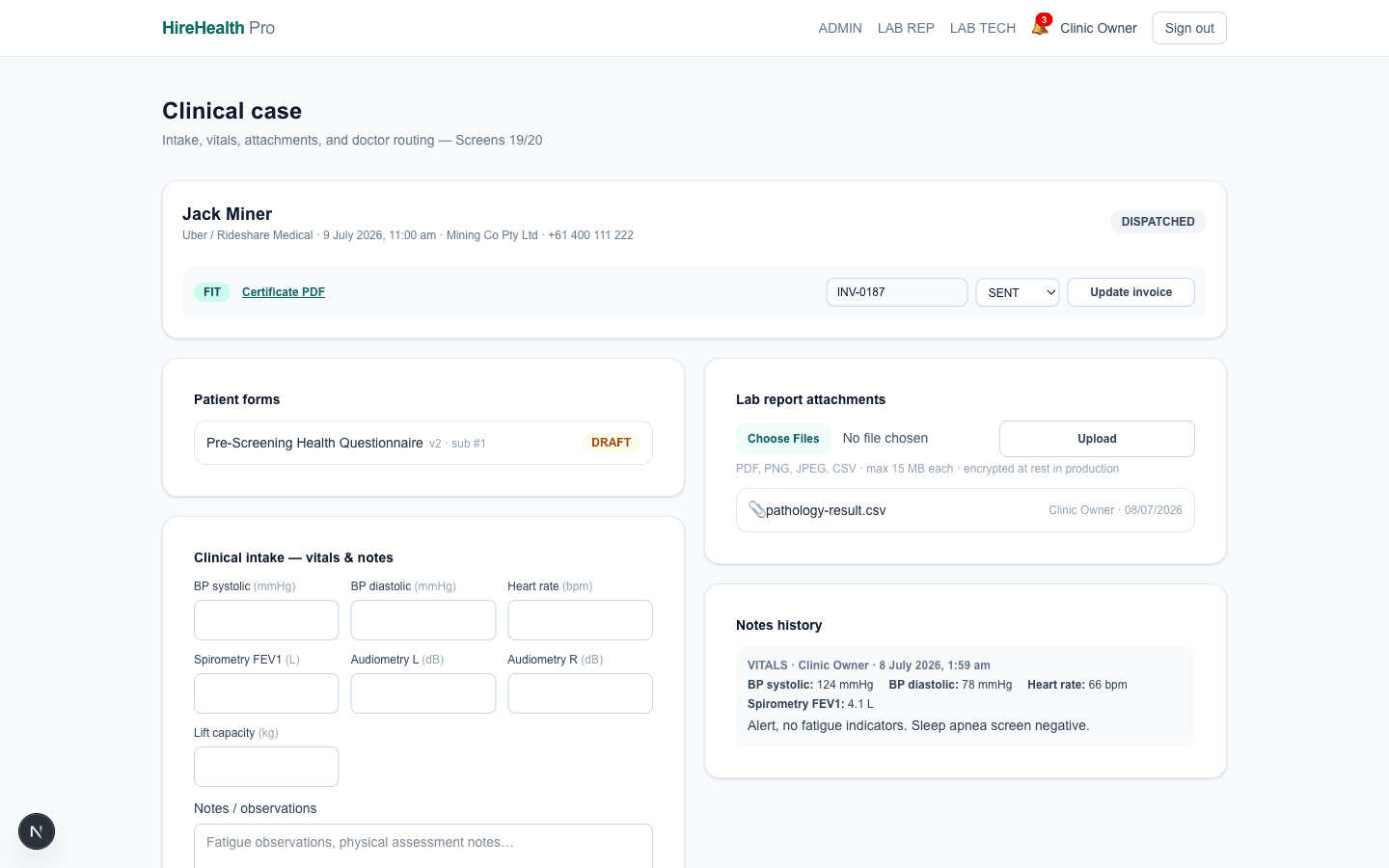
Dispatch & invoice references

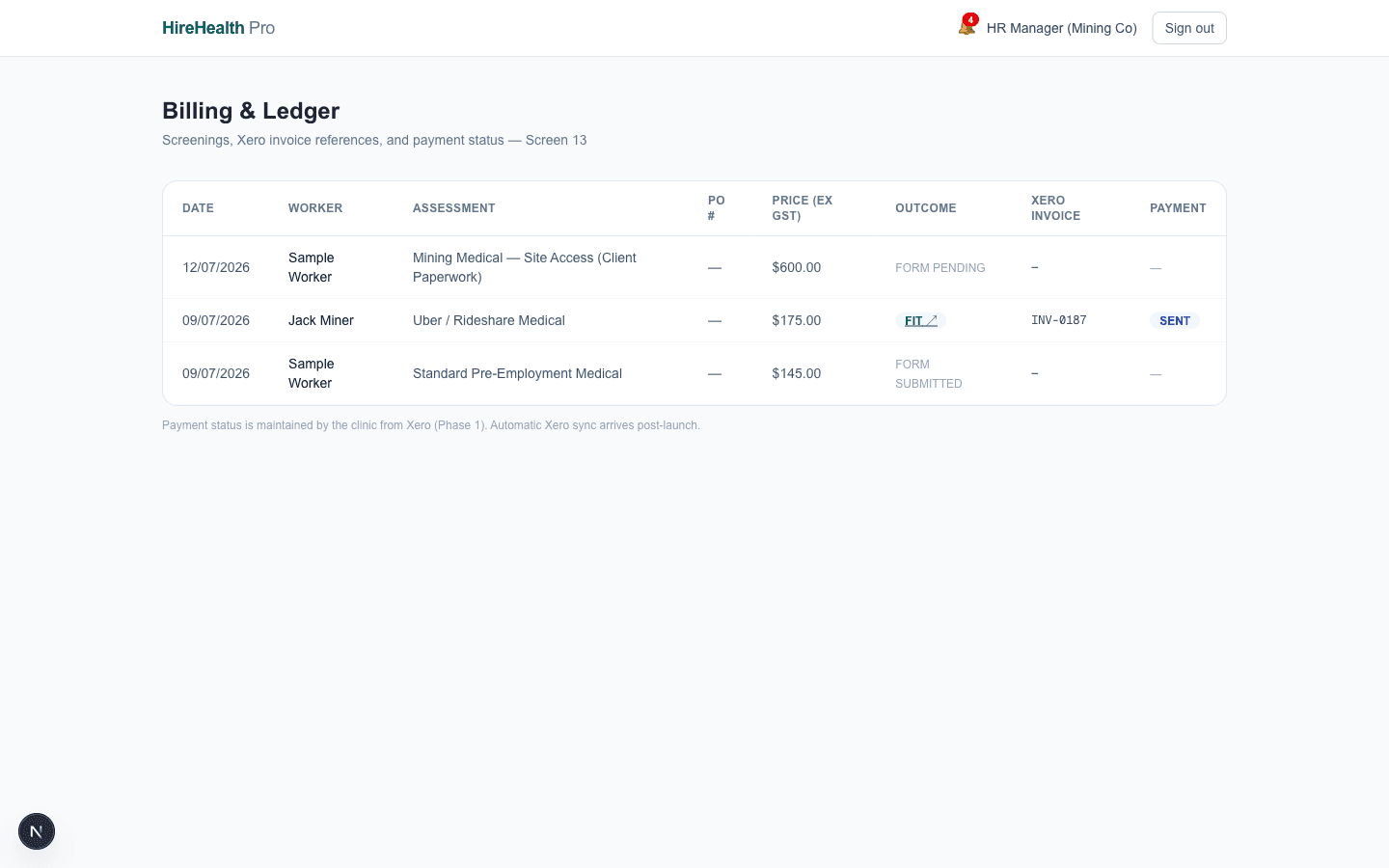
On certification the certificate dispatches to the employer contact, the case closes, and an invoice reference (Xero number, sent / partial / paid / voided) attaches to the screening. Front desk, employer and admin all see the same source of truth.

Open /lab live — as the Clinic Owner
Run the business

Dashboards for the owner, a command centre for the employer's HR team, billing visibility for both — plus staff management and the privacy machinery regulators expect.

Clinic command centre

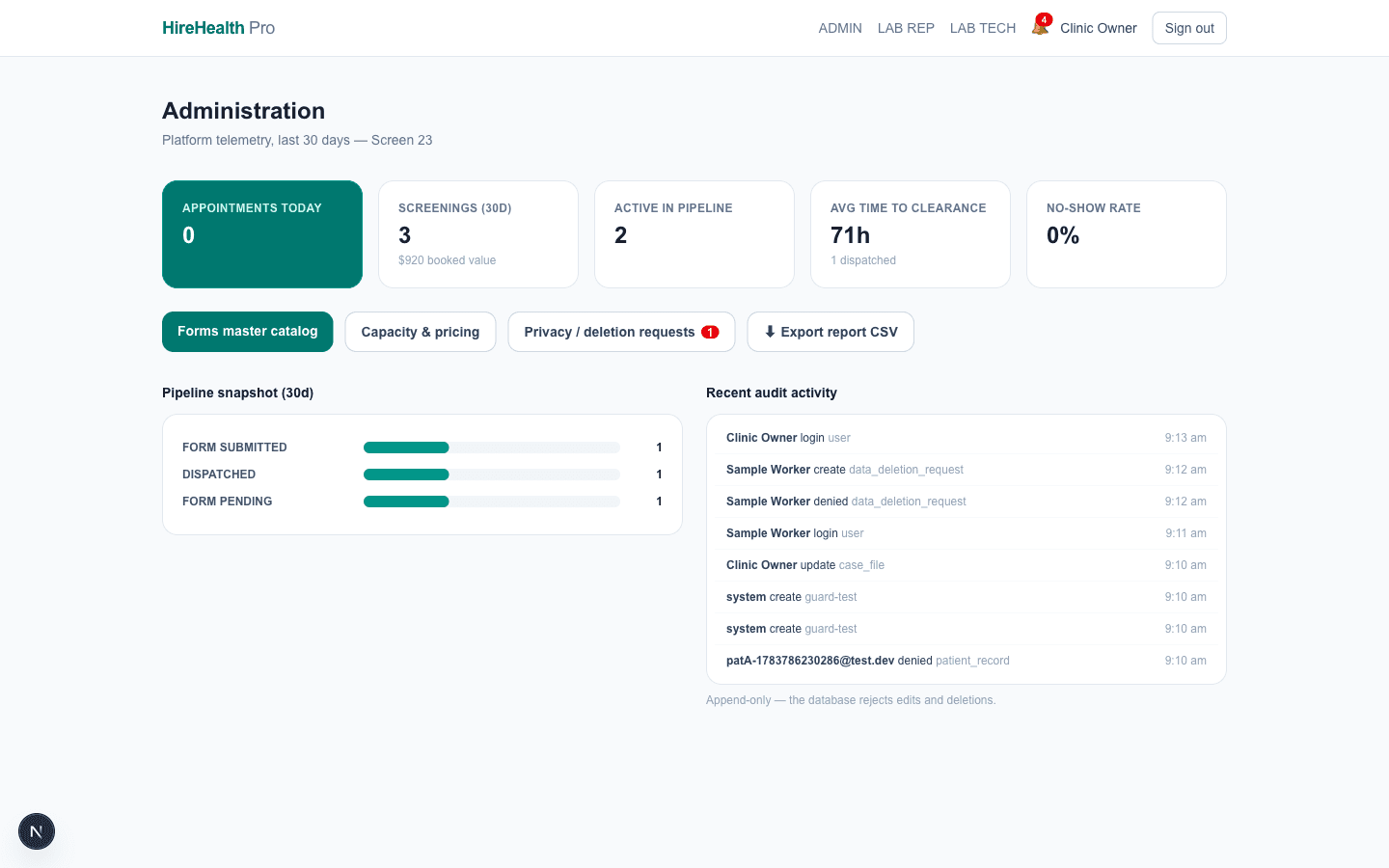
Today's screenings by pipeline stage, revenue snapshot, overdue forms, deletion requests awaiting review. Each tile deep-links into the queue it summarises.

Open /admin live — as the Clinic Owner
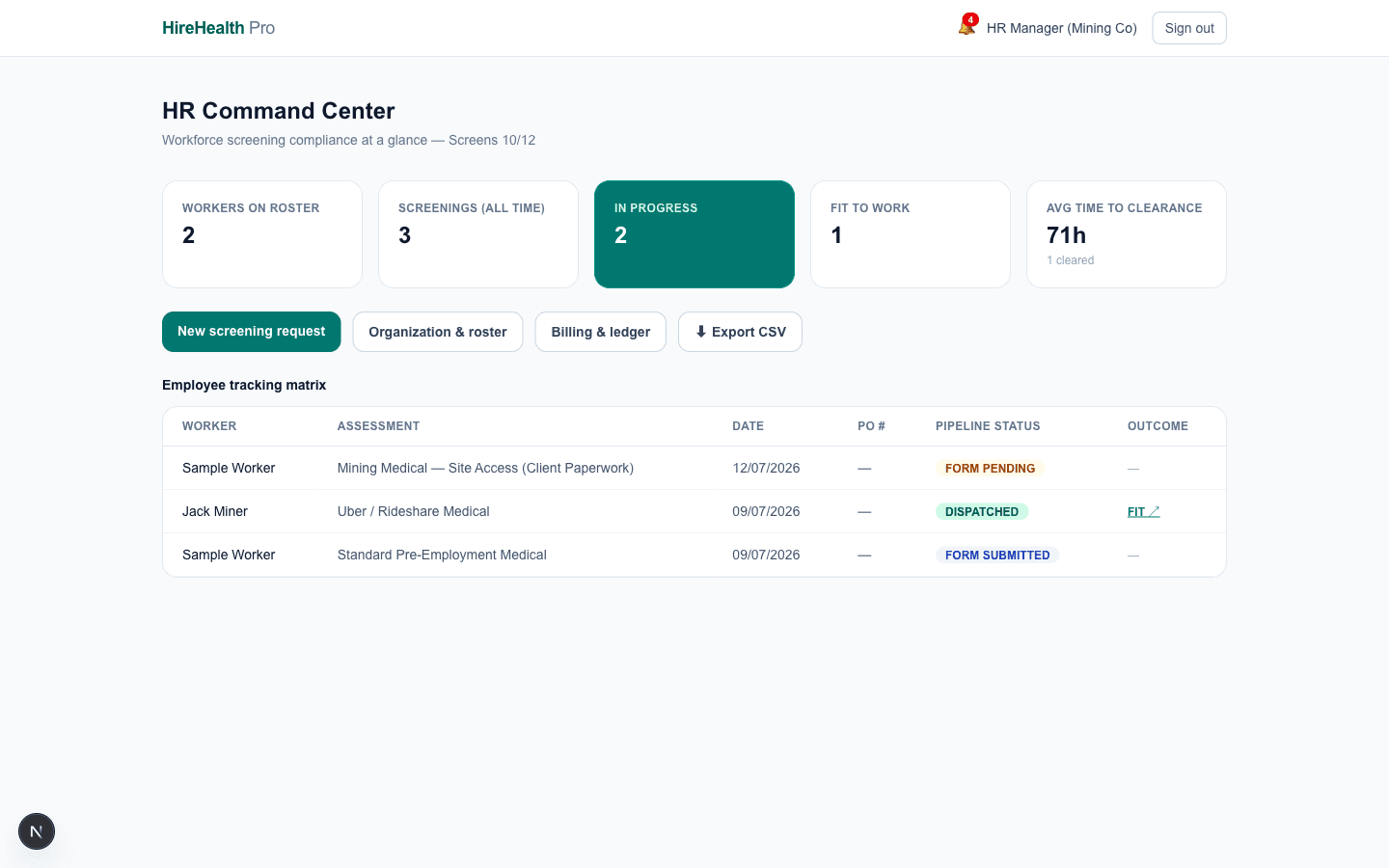
Employer HR command centre

Mining Co's HR rep manages their worker roster, books screenings, tracks who's certified and who's expiring — without ever seeing another employer's people. Organisation walls are enforced on every query.

Open /employer live — as the HR Representative

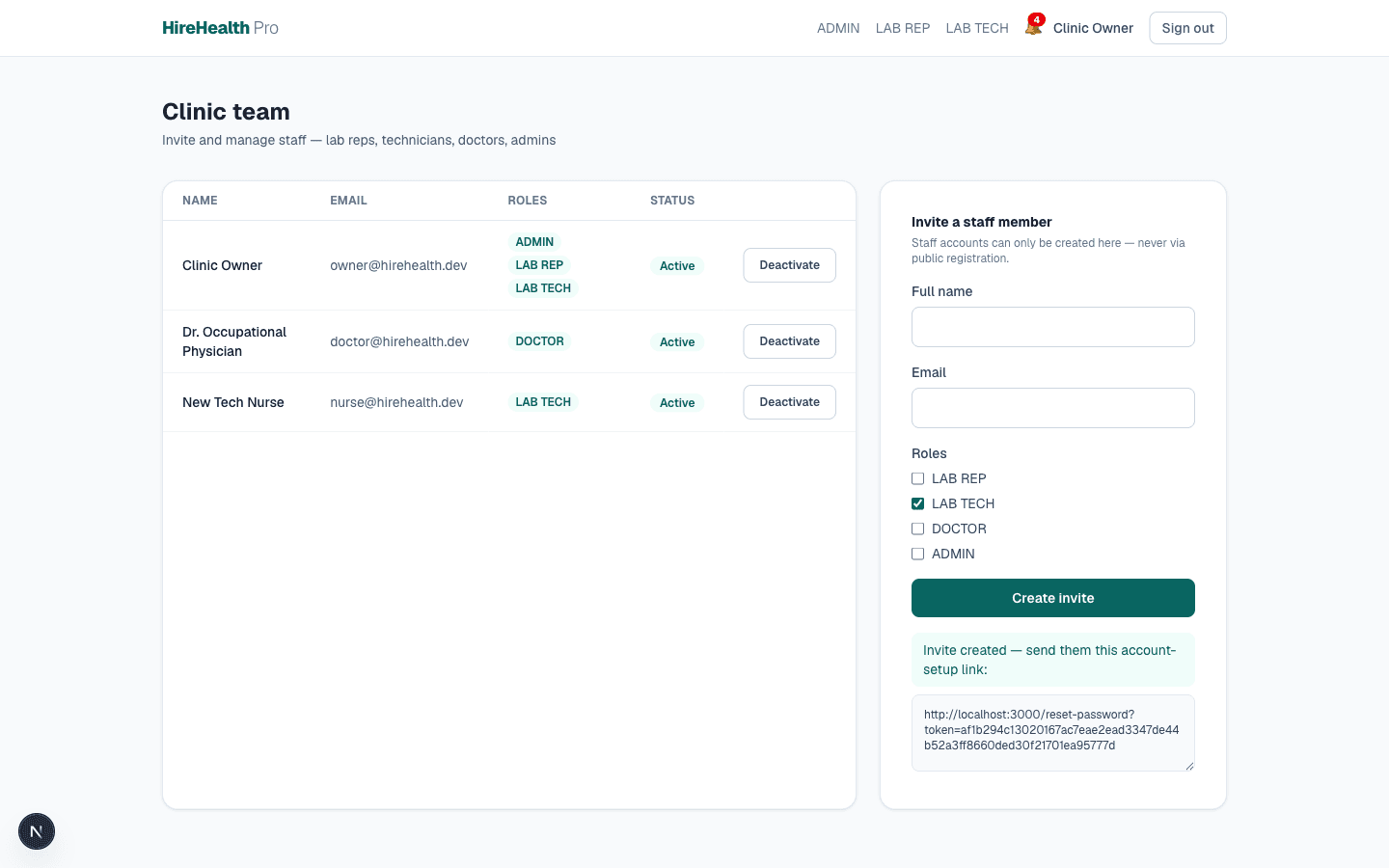
Team & role management

The clinic admin invites their own staff — lab reps, technicians, doctors, other admins — via secure invite links, and deactivates accounts without losing audit history. Patients and employer reps self-register; staff never can.

Open /admin/team live — as the Clinic Owner

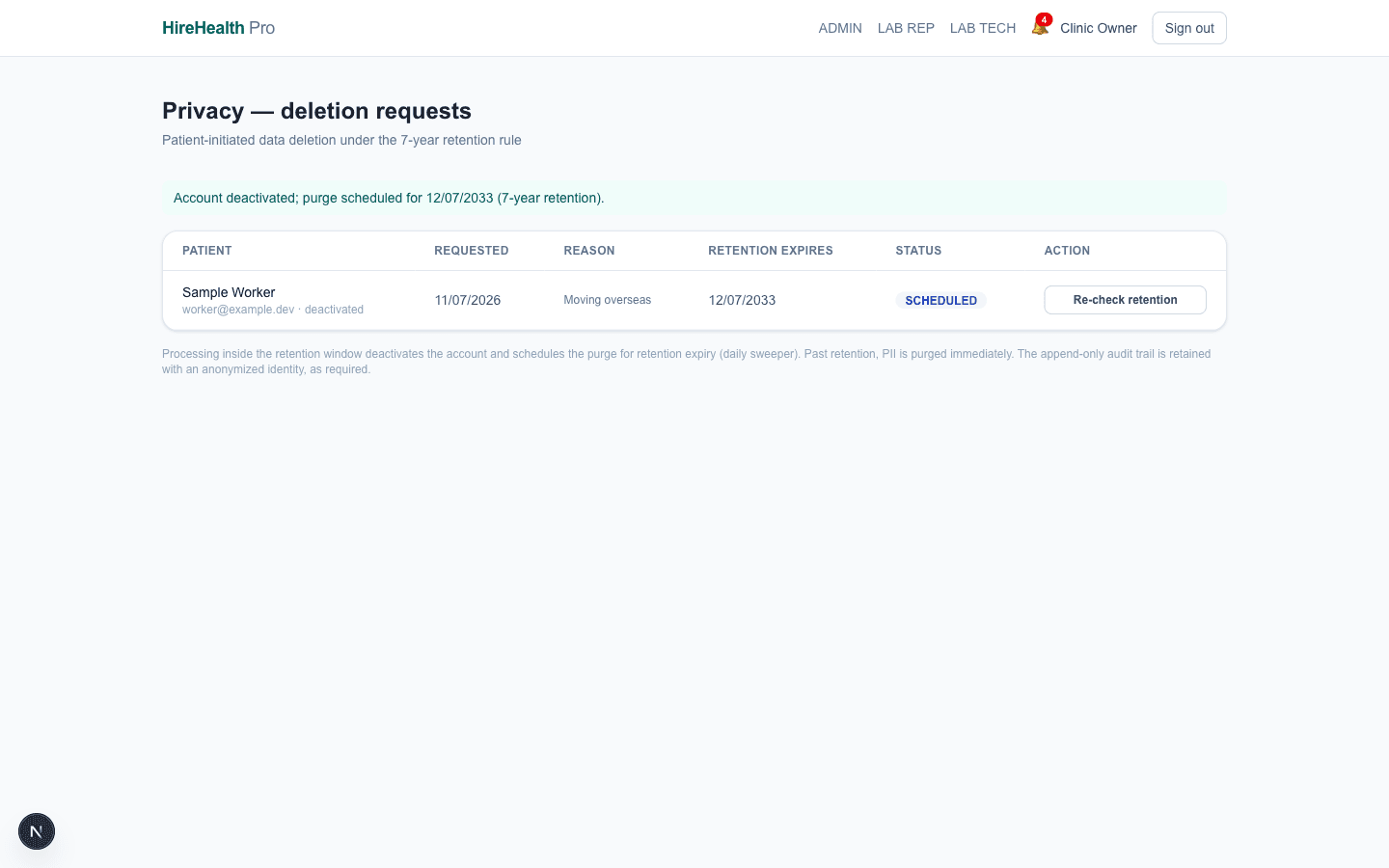
7-year retention & patient-owned deletion

Clinical records keep for exactly seven years from each record's own date, then purge on a rolling schedule. Only the patient themselves can request deletion, identity-verified; the admin queue shows what's legally holdable and what's due to go.

Open /admin live — as the Clinic Owner

Front-desk tablets. Site-office phones.

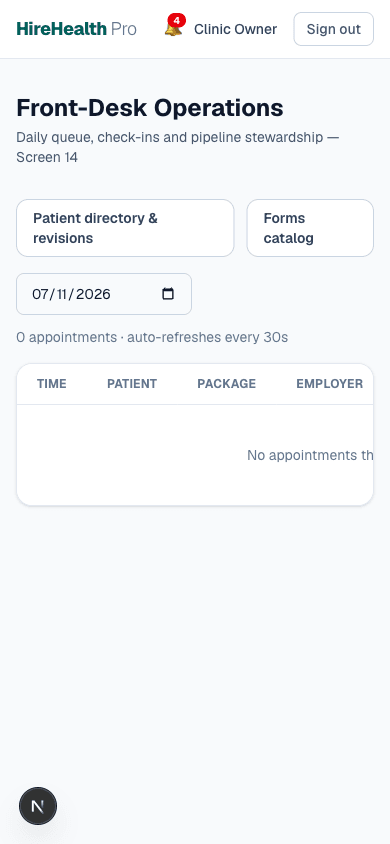
Every screen passes a 390-pixel audit — check-in from a tablet at reception, roster edits from a phone in a mine-site office. Touch targets meet accessibility minimums and the whole system holds WCAG AA contrast.

23/23 screens verified at 390px · WCAG AA

Front desk queue on a phoneCapacity manager on a phone